For each facility kitchen
Each facility manager signs in with their own credentials and only ever sees their own facility.
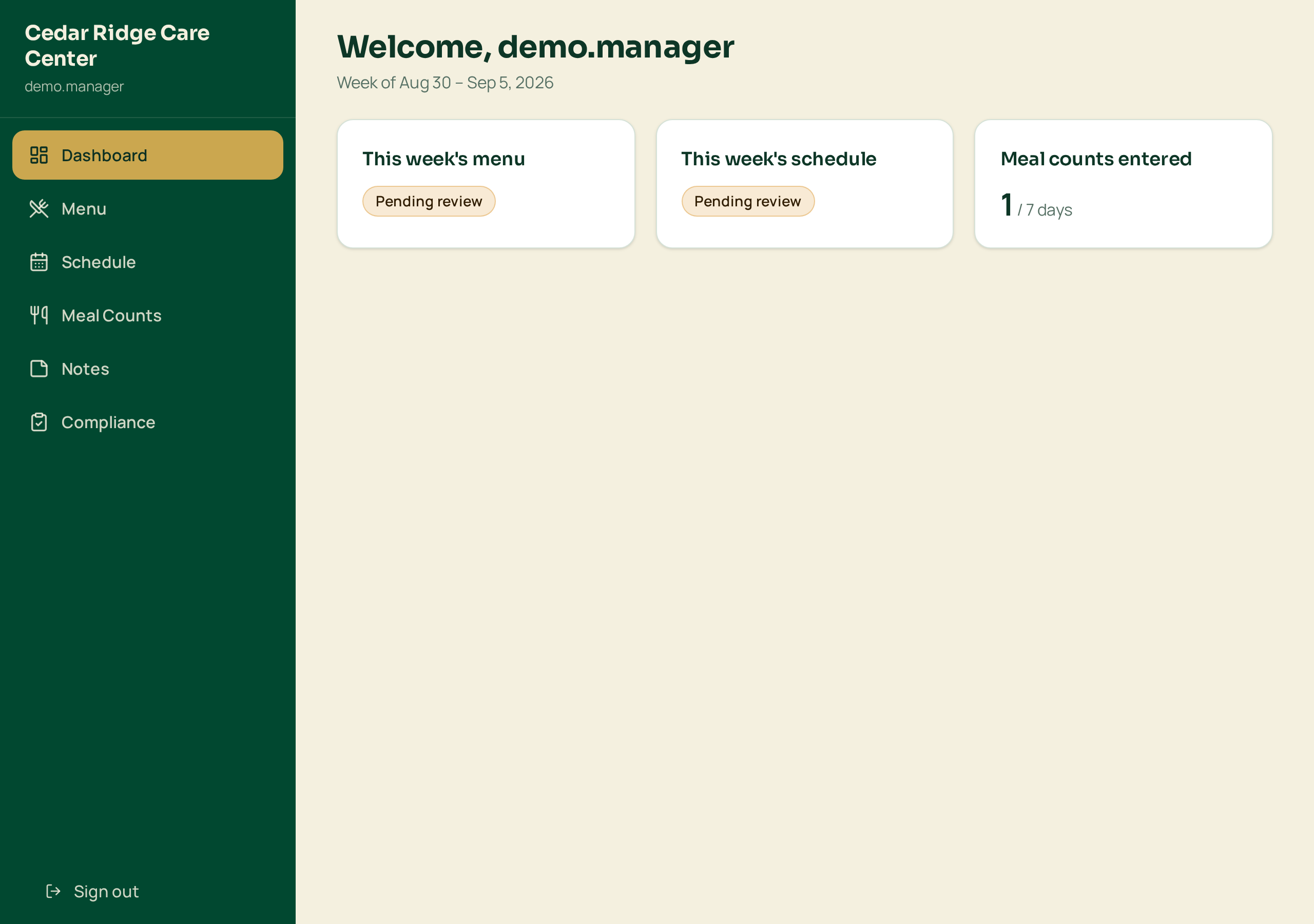
The week at a glance
The first screen a facility manager sees: menu status, schedule status, meal counts entered so far and anything the office sent back.
Large type and one clear next action, built for kitchen staff who are not sitting at a desk.
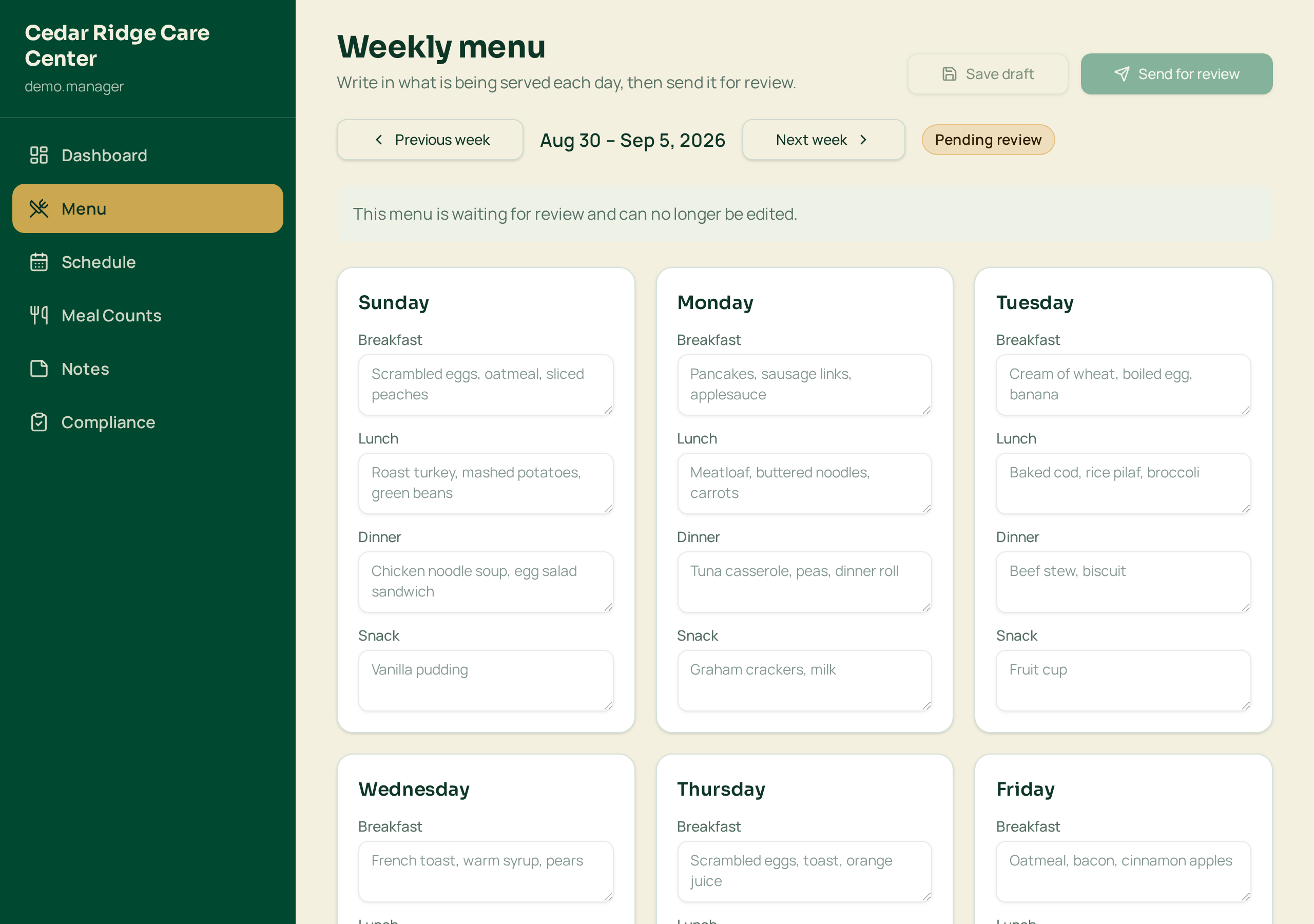
Weekly menu builder
Seven days by breakfast, lunch, dinner and snack. Save as a draft, then submit the week for approval.
Once the office approves it the week locks, so what the kitchen cooks matches what was signed off.
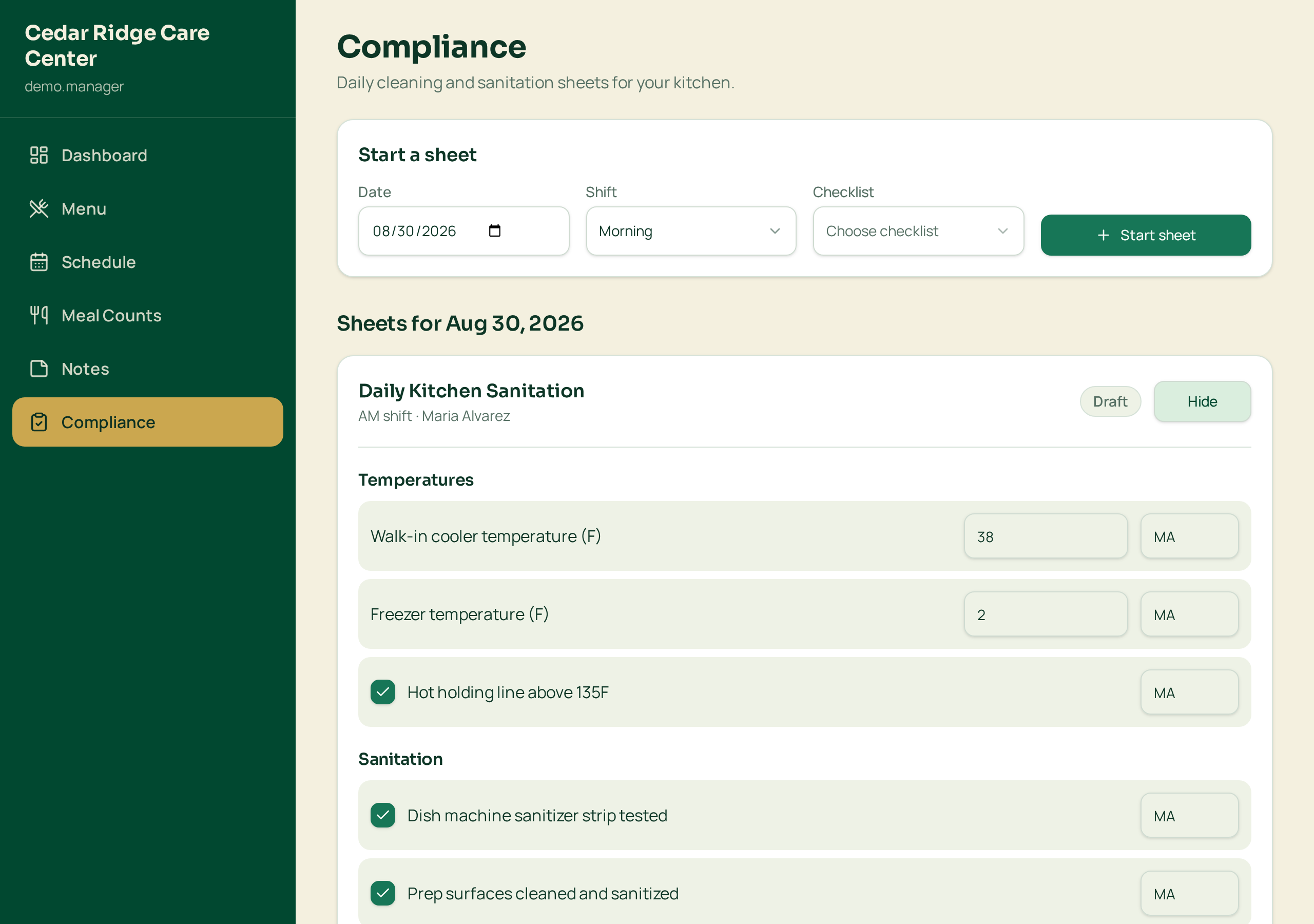
Compliance and sanitation sheets
Checklists a manager can edit to match their own kitchen and equipment: checkboxes, temperature readings and initials.
Completed sheets are dated, kept per facility and can be printed for a surveyor.
For your company office
Admins see every facility, review what the kitchens submit and watch the numbers.
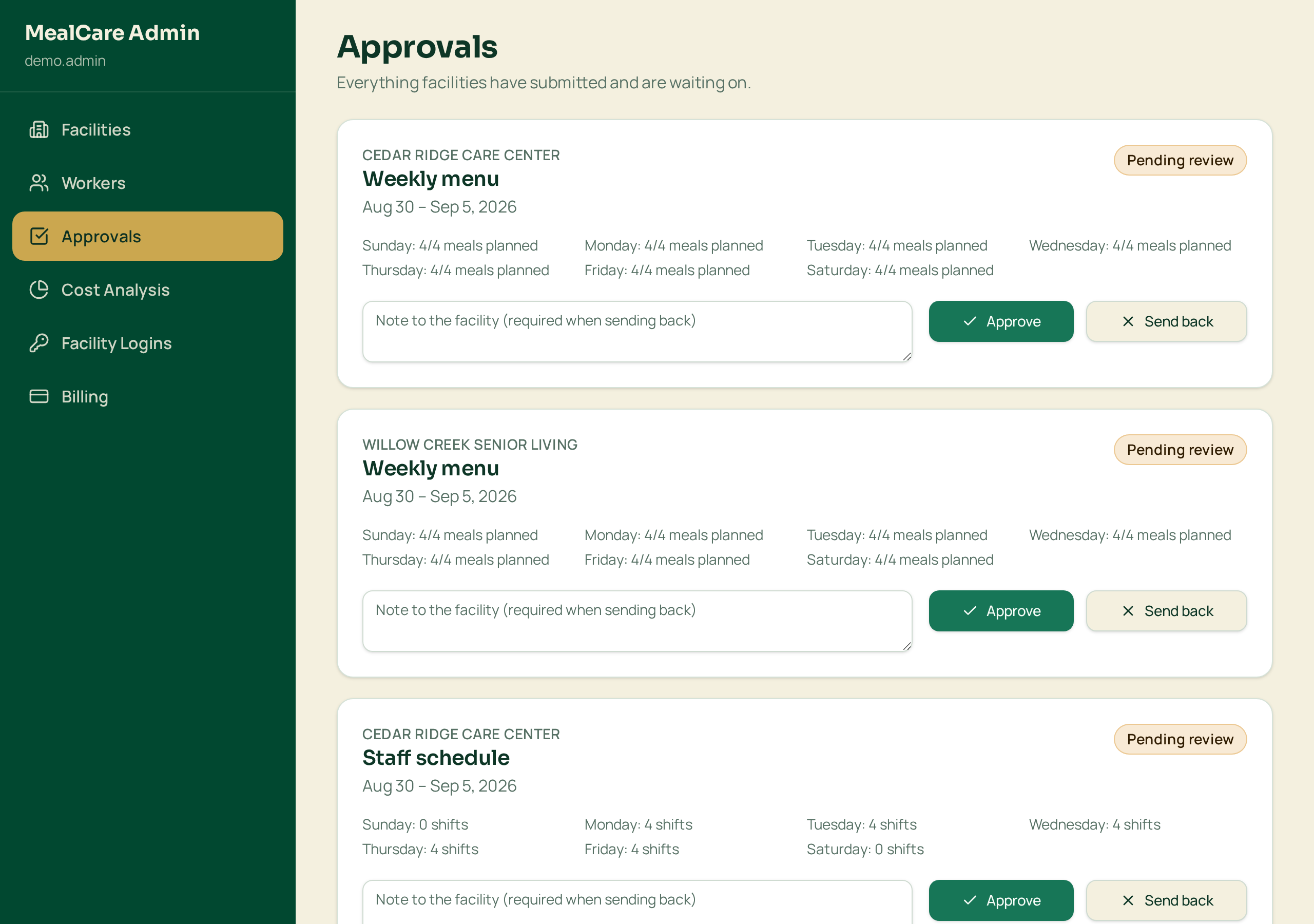
One approvals queue
Every pending menu, staff schedule and cleaning sheet from every facility in a single queue.
Approve it, or send it back with a note the facility manager sees on their dashboard.
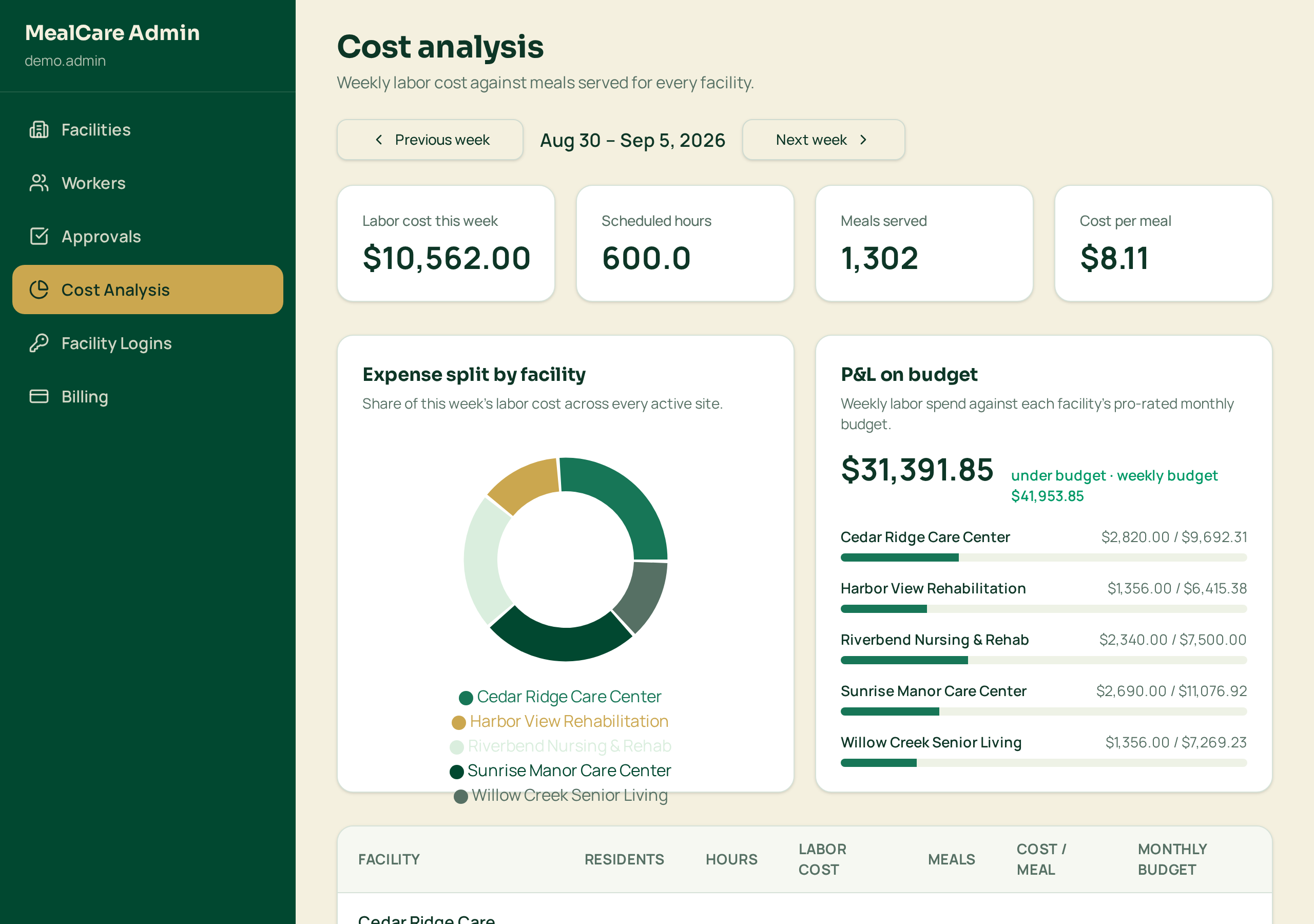
Cost analysis across facilities
Budget against actual spend, cost per resident and cost per meal served, per facility and company-wide.
Labor cost comes straight from the schedules and pay rates you already entered.
Want this running for your facilities?
Pick a plan based on how many facilities you serve, or talk to InTechFoundry and we'll set your account up with you.